



I’ve been running a lot of Figma-to-code experiments lately.
The simple version:
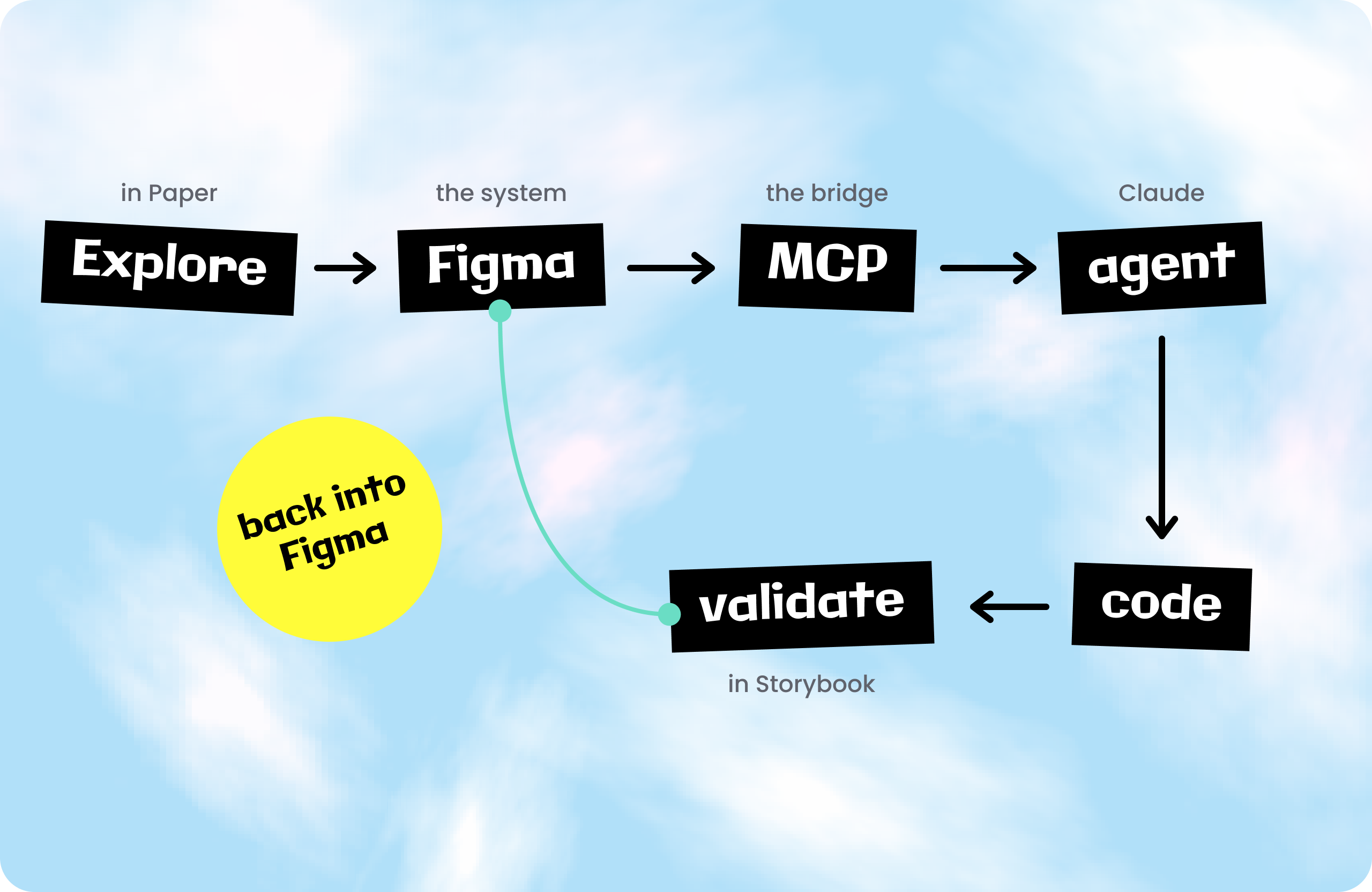
Figma → Figma MCP → Claude (or another coding agent) → code
That path works. Agents can read the file, pull context, and spit out something that looks close.
But it still feels like the old handoff. Design something, pass it downstream, hope it comes back right.
The code is not the end. What we learn while building has to return to the system. Otherwise we’re just generating disposable interfaces.
This is the start of a series. I’m still early.
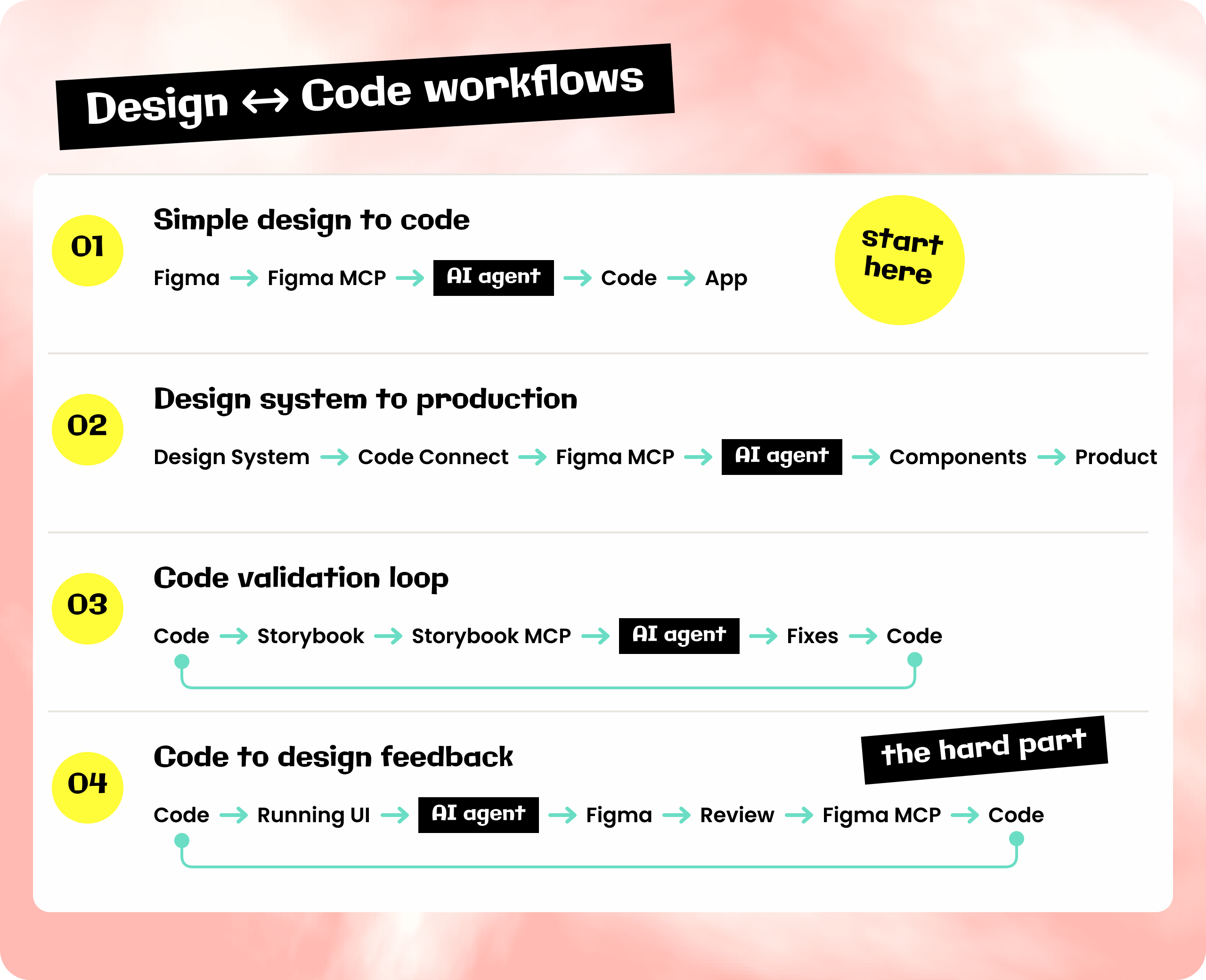
MCP sends design context to AI. Code Connect maps components to code. Storybook shows implemented states. The AI agent orchestrates the loop.
01 Simple design to code
How can AI reach it?
MCP was an important distinction for me. It is not another design step. It is the bridge between the design environment and the agent.
Figma MCP can expose design context. Figma Console MCP can go deeper into components, variables, tokens, and design-system operations.
The agent is the execution layer. It should execute inside a system, not guess from a screenshot.
That changes the question from:
Can AI recreate this interface?
to:
Can AI build this interface using the system correctly?
Start here: Connect one Figma file to one coding agent. Build one component.

02 Design system to production
What already exists?
Before an agent builds anything, it needs more than a screenshot.
IT NEEDS THE DECISIONS BEHIND THE INTERFACE
Tokens
Components
Patterns
Constraints
Accessibility rules
Product intent
This is why I recently updated my design-system reference library. Having more components to copy is not the point. The question is whether an agent can understand the system well enough to reuse it without inventing a second one.
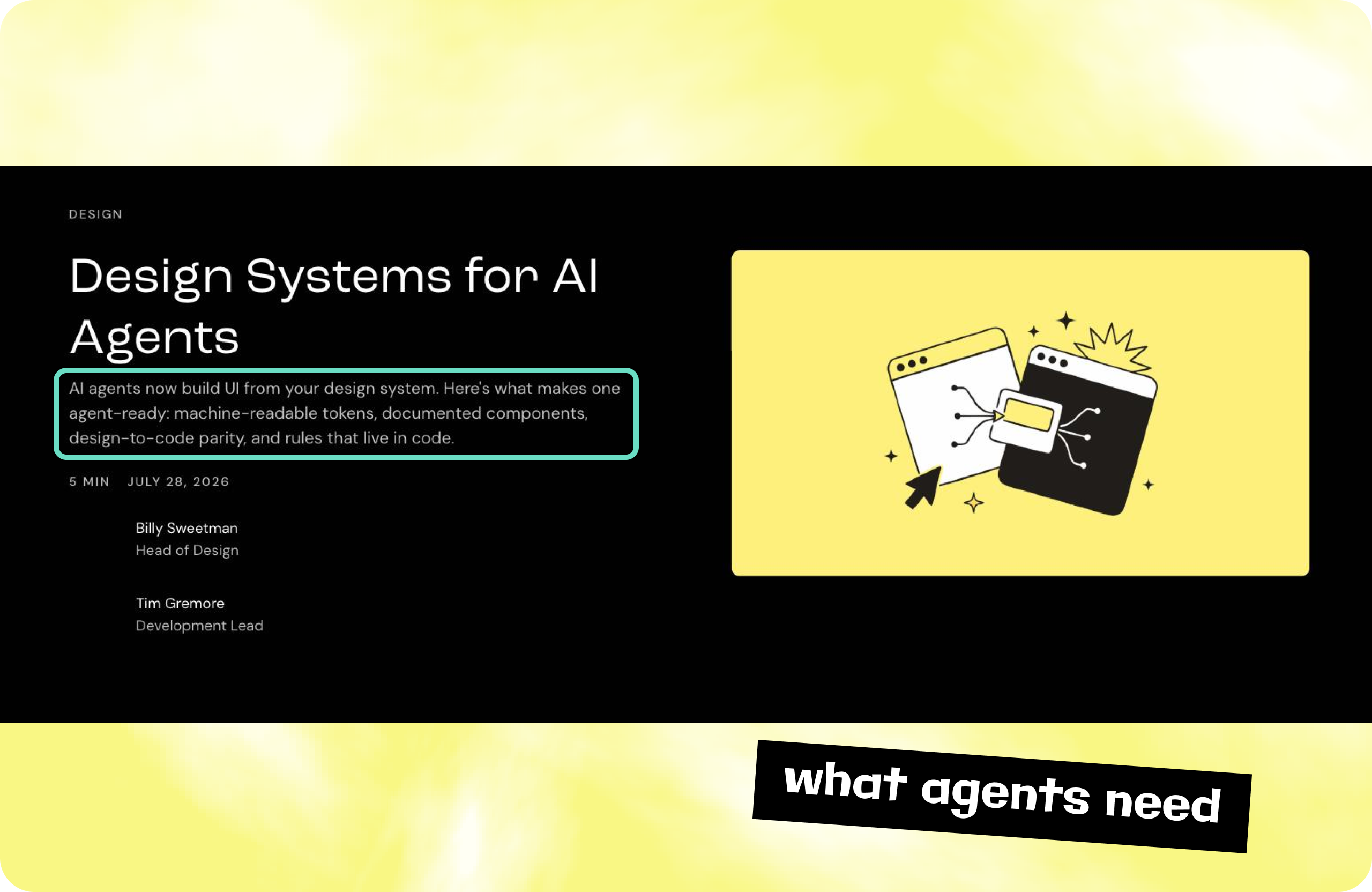
Source: Design Systems for AI Agents, Headway. Billy Sweetman and Tim Gremore. Jul 28, 2026.
What has to change and what doesn’t
I recently watched the Hatch Conference talk Design Systems in the Age of Agents: What Changes, What Doesn’t by Cassie Groos, who leads design systems at Unily.
MY MAIN TAKEAWAY
The foundational knowledge of how to build a design system does not go away just because new tools and agents can facilitate the process.
I’m not trying to skip the fundamentals. I’m trying to understand which parts of the old craft still matter most when agents are in the loop.
Then: Make the tokens and components consistent enough to be read.
03 Code validation loop
Why Storybook belongs in the loop
Once the interface is coded, I need to see more than a polished happy path.
Storybook makes the component visible: variants, states, responsive behavior, accessibility, and edge cases. This is where I can compare design and implementation side by side.
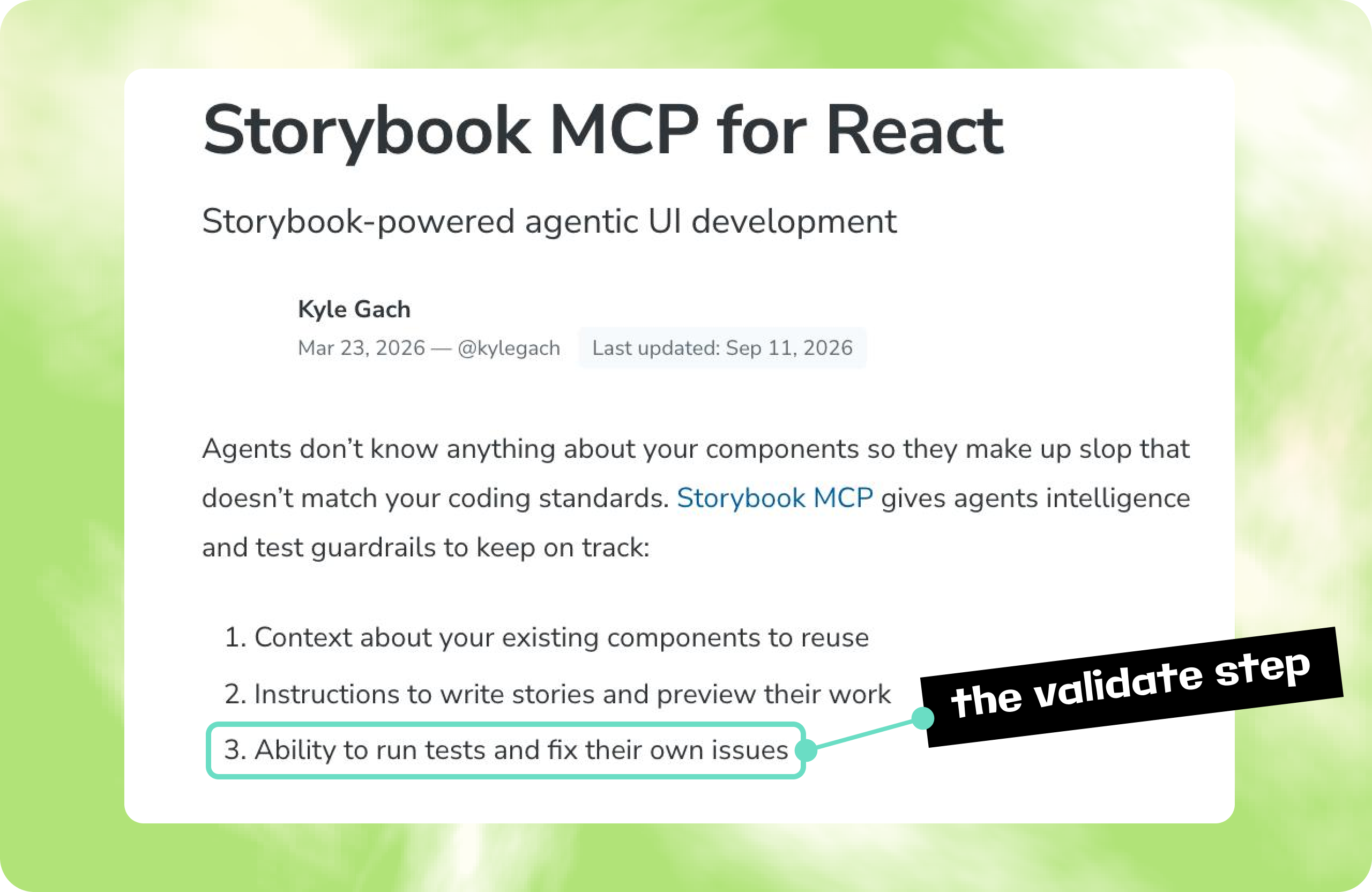
Source: Storybook MCP for React, Storybook blog. Kyle Gach. Updated Sep 11, 2026.
Then: Validate its states and responsiveness.
04 Code to design feedback
The hard part
If implementation exposes a missing state, a token problem, or a component that does not scale, that knowledge should not disappear inside the codebase.
THEN CLOSE THE LOOP
Update the component.
Update the pattern.
Bring it back into Figma.
Run the loop again.
What should we make?
This is the layer a tool list cannot solve.
Hierarchy, restraint, composition, context, brand expression. When not to use a component. When to stop.
The agent can get me past the blank page. It cannot decide what deserves to exist.
Then: Bring one implementation discovery back into Figma.
One complete loop will teach you more than collecting another twenty tools.
What’s inspiring me right now
What I’m reading and watching while I work on this
If you want to learn about production: here’s how i shipped 2,500 PRs last month to production. Lauren Tan (@poteto) on X, Sep 21. Video, 38 minutes. I’m learning more about production from this one, and from her explanation of agent governance and evaluations.
If you want to connect Figma to a coding agent: Get started with the Figma MCP server. The developer docs go deeper.
If you want to go from code back to the canvas: Figma Workflow lab: Code to canvas.
If you want the numbers on designers and AI: AI in Design 2026. Designer Fund’s yearly survey. Report.